
THINKWARE CONNECTED
Thinkware ConnectedAuto & Vehicles
2.712.00 Reviews
- Version
- 1.0.9
- Installs
- 10.00K
- Age Rating
- Everyone
Screenshots
Our Review of THINKWARE CONNECTED
 Analysis by Appyee
I think THINKWARE CONNECTED makes the most sense when your car is parked somewhere you cannot easily check in person. It is an Android app in the Auto & Vehicles category, made by Thinkware Connected to accompany a compatible THINKWARE dash cam. Rather than replacing a camera or acting as a general-purpose vehicle tracker, it is intended to link the camera’s connected functions to your phone. That distinction matters: its usefulness depends on the dash cam and connected setup you use, not just on installing an app.
A normal trip gives the app a practical job. You drive, leave the car, and later want to know where it is or check on it remotely. In that flow, the phone is the viewing and notification end of the system, while the dash cam is the device in the vehicle. I would treat the app as a companion to that equipment, not as a standalone security solution or a substitute for being able to inspect the car yourself.
From a parked car to a useful check-in
I find the most useful check-in starts before there is anything to worry about: while the car is still nearby, I can confirm that the camera and phone are connected and learn where the relevant controls are. That simple rehearsal turns a later glance into a practical step rather than a guess. Next, I’d look at how location and alerts can guide what I do when I’m away from the vehicle.
Start with the right equipment
The first question I would settle is whether your THINKWARE dash cam supports the connected features you want to use. The app cannot make an ordinary camera remotely connected simply by being installed. Before relying on location, alerts, or remote viewing, make sure your particular camera and its connection are set up for those functions. This is also the point to check whether the arrangement suits how and where you usually park.
That matters because “connected” does not mean that every car, camera, or parking situation will behave the same way. A phone app can make a supported camera easier to reach, but it does not remove the need for the camera itself to be installed and working. I would test the complete setup while parked somewhere convenient before depending on it in a busy car park or while away from home.
Pairing and the first setup
Hey there! So, I recently got my hands on the THINKWARE CONNECTED app, and I’ve got to tell you all about it. This app is like a buddy for your dash cam that keeps you in the loop, whether you're near your car or miles away. Let’s dive into what makes this app tick and why it might just be the thing you didn’t know you needed.
Right off the bat, the installation process was a breeze. Once I downloaded the app, connecting it to my THINKWARE dash cam was straightforward. The interface is pretty intuitive, which means you won’t be pulling your hair out trying to figure out what’s what. Just a few taps, and you’re good to go.
Even with a straightforward setup, I would avoid leaving all testing until the first time you are away from the vehicle. Pair the camera and phone, then try the actions you expect to use while still close enough to troubleshoot. Check that you can find the vehicle and that the connected view or alerts behave as expected. This small rehearsal is more useful than assuming that a successful installation means every remote function is ready in every situation.
Use location for a specific task
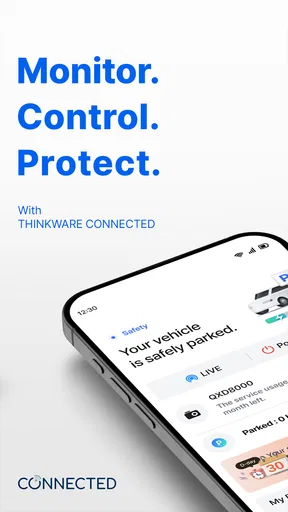
The THINKWARE CONNECTED app is all about giving you peace of mind with real-time updates about your vehicle. It acts like a vigilant sidekick, offering features that keep you informed about your car’s whereabouts and status. I found it super handy, especially because I tend to forget where I parked my car all the time!
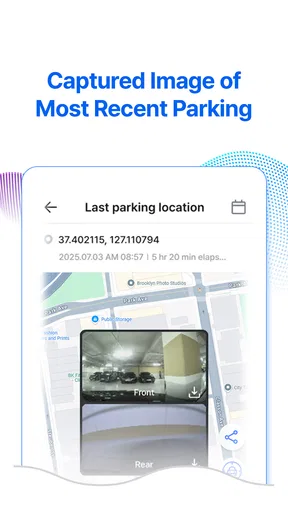
One of the standout features has to be the GPS tracking. You can see where your car is at any given moment, right from your phone. It’s like having a GPS in your pocket that’s always on. Whether you’ve parked your car in a massive lot or lent it to a friend, you’ll always know where it is.
For everyday use, I would think of location as a way to answer a simple question: where should I start looking? In a large lot, a saved or displayed vehicle position can narrow the search, but it is not the same as turn-by-turn directions to a parking space. If I lend my car to someone, I would also agree in advance on what I am checking and when; location tools work best as a practical aid, not as a replacement for clear communication.
Let an alert prompt a check, not a conclusion
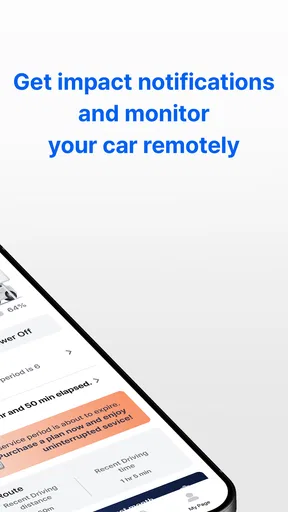
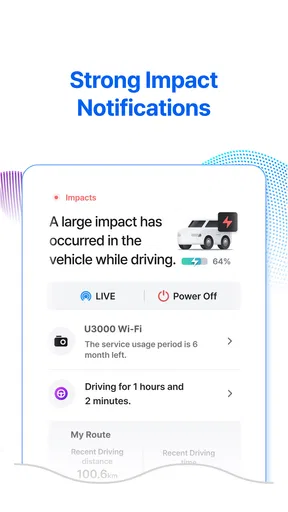
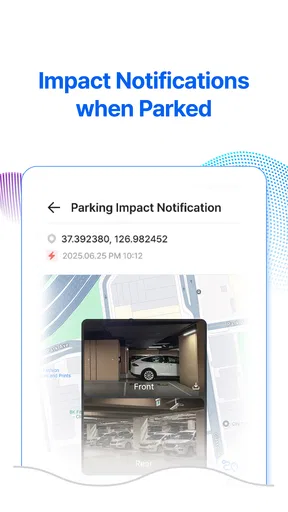
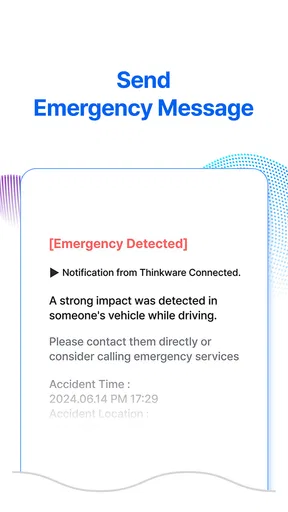
Imagine getting a notification if someone bumps into your car or tries to mess with it. With the app, you get real-time alerts if your vehicle gets into any funny business. It’s like having an extra pair of eyes, ensuring your car is safe and sound.
I would treat an alert as a reason to look into what happened, rather than proof of a break-in or damage. A notification can tell you that the connected system has registered an event; it cannot inspect the bodywork or explain the cause by itself. If an alert arrives while I am busy, I would check the app when it is safe to do so, then decide whether a direct look at the car is needed.
This is especially useful for people who regularly leave a vehicle in a shared car park, outside an apartment, or at a workplace. It is less compelling if you park in a private garage and rarely need remote awareness. In either case, the app can help you notice a situation, but I would not rely on a phone alert as the only protection for a valuable vehicle.
Remote viewing and the handoff from phone to camera
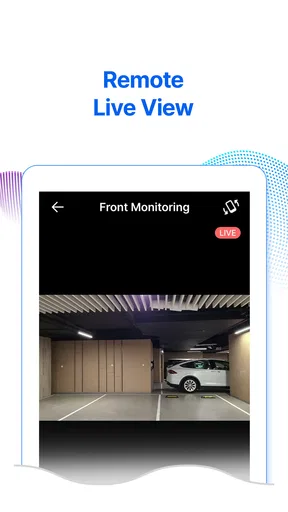
Beyond just tracking, the app lets you peek into the dash cam’s live feed. So, if you’re feeling a bit anxious about your car’s safety, you can just check in anytime. It’s almost like Facetiming your car, which I found pretty cool.
That handoff is the central idea: the phone gives you a way to check what the camera can show, while the camera remains in the vehicle. When I use remote viewing, I would keep the question narrow—whether something appears to be happening around the car—rather than expecting a live view to provide a full account of an incident. A quick visual check can be reassuring, but it is not a guarantee that every angle or detail will be visible.
There is also a practical trade-off in checking repeatedly. Remote access is most useful when it answers a real concern; opening the live view every few minutes can turn a reassuring feature into a distraction. I would use it when a parked-car alert or an unusual situation gives me a reason, and otherwise let the camera do its job without constant monitoring.
Driving information after the trip
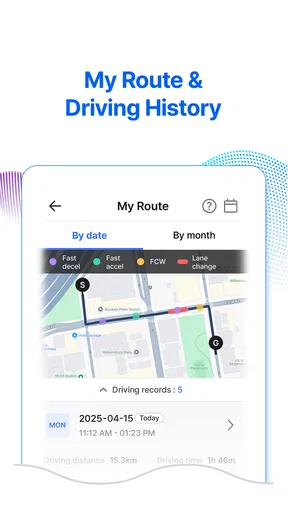
If you’re a data nerd like me, you’ll appreciate the driving insights the app offers. It tracks your driving habits and gives you feedback. It’s a neat way to improve your driving skills or just brag about how efficient you are on the road.
For a regular driver, this kind of information is more useful as a prompt for reflection than as a scorecard. I would look for patterns across ordinary trips and ask whether a habit is worth changing, rather than treating a single journey as a complete measure of driving ability. If you share the car with family, keep in mind that driving information relates to trips made in that vehicle, so it is sensible to be open about who may see it.
That makes the app a better fit for someone who already values the dash cam and wants connected access, location, and driving information in one place. If all you need is a basic record of the road, a conventional dash-cam app or the camera’s own local controls may be enough. If you mainly want a standalone tracker, compare dedicated tracking options instead; this app is tied to the THINKWARE camera experience.
Interface, cost, and expectations
The app’s interface is sleek and user-friendly. I didn’t have to spend hours figuring out where things were. Everything is laid out logically, and there’s a helpful guide for first-timers. It’s clear that user experience was a priority in its design.
THINKWARE CONNECTED is free to install, is rated for Everyone, and has reached over ten thousand installs. Its average rating is 2.7 from around two hundred ratings, so I would approach it with measured expectations rather than assuming every setup will be equally smooth. The current version is 1.0.9, and it requires Android 7.0 or later. In-app purchases range from $1.99 to $89.00 per item, which makes it worth checking what any optional purchase covers before committing. The app was released on June 13, 2022.
A useful way to judge whether those costs matter is to separate installation from the full connected setup. The app itself costs nothing to download, but the functions you care about depend on your camera and may involve optional purchases. I would identify the feature I actually need—such as remote checking—then review the purchase details in context, rather than assuming every connected function is included for free.
Compared with a basic dash-cam companion app, the appeal here is the connected angle: access to vehicle location, alerts, and remote viewing alongside driving information. Compared with a dedicated tracker, its advantage is that it works as part of a dash-cam setup rather than asking you to use a separate tracking device. The trade-off is just as clear: if you do not own compatible THINKWARE equipment, or do not want a camera-centered system, another option will be more sensible.
Where the workflow can break
The main friction is dependence on the whole chain working together: a suitable dash cam, a completed connection, and the phone app. If any part is not ready, installing the app alone will not deliver the remote check-in you expected. That is why I recommend testing while near the car, confirming which functions are available for your equipment, and avoiding assumptions based on the word “connected.”
Remote tools can also be less useful when you need immediate, certain confirmation. If a notification worries you, the app may help you decide whether to investigate, but a person physically checking the vehicle is still the more direct answer. Likewise, if you only want to find your car after shopping, a phone’s ordinary map or a manual parking note may be simpler than setting up a connected dash-cam system.
The app is not the right pick for someone shopping for a dash cam from scratch without first checking camera compatibility, someone who only wants basic recording, or someone who expects the phone alone to protect a parked vehicle. It is more attractive to an existing THINKWARE owner who parks away from home, shares a car, or wants a convenient way to check on the vehicle and review driving information. I would also skip it if you prefer not to connect vehicle activity to a phone or do not expect to use remote functions often.
My take after following the whole flow
In a world where staying connected is more important than ever, the THINKWARE CONNECTED app does an excellent job of bridging the gap between you and your vehicle. It’s reliable, easy to use, and packed with features that are genuinely useful. Whether you’re a tech enthusiast or just someone who wants to keep an eye on their car, this app is worth checking out. Give it a whirl and see how it can simplify your life!
My recommendation comes with one condition: treat it as a companion for compatible THINKWARE equipment, and test the specific remote functions you plan to rely on. For a driver who wants a connected view of a parked car and a place to check driving information, that workflow can be genuinely convenient. For someone who needs only a basic camera, a generic parking reminder, or a separate tracker, a simpler tool may be the better fit. The value is in having the camera and phone work together when you have a clear reason to check in.
Verdict
Strengths of THINKWARE CONNECTED
- Real-time vehicle tracking and alerts.
- User-friendly interface with intuitive navigation.
- Comprehensive driving reports and analytics.
- Remote monitoring enhances vehicle security.
- Supports multiple vehicles for fleet management.
Limitations of THINKWARE CONNECTED
- Requires stable internet connection.
- Limited features in the free version.
- Some features may drain battery quickly.
- Can be complex for tech novices.
- Occasional app crashes reported.
Similar Picks in This Category
View All
Android Auto
Google LLC4.1

maxim — order a taxi & food
PT. SITO4.7

Штрафы ГИБДД: проверка с фото
Pays LLC – Штрафы ГИБДД4.7

Номерограм – проверка авто
Авто Ассист4.8

Дром Авто
Дром4.9

Frequently Asked Questions
What features does THINKWARE CONNECTED offer?
THINKWARE CONNECTED provides a range of features designed to enhance your driving experience. It includes real-time notifications, cloud storage for video backups, GPS tracking, and remote access to dashcam footage. Additionally, it offers geo-fencing and driving impact alerts to ensure safety and peace of mind while on the road.
Is THINKWARE CONNECTED compatible with all dashcam models?
THINKWARE CONNECTED is specifically designed to work with THINKWARE dashcams that support cloud connectivity. Before purchasing, ensure that your dashcam model is compatible. Typically, newer models with built-in Wi-Fi and cloud features are supported. Check the THINKWARE website or user manual for compatibility details.
How does the subscription model work for THINKWARE CONNECTED?
THINKWARE CONNECTED offers both free and premium subscription plans. The free version includes basic features, while the premium plan unlocks additional functionalities such as extended cloud storage and advanced alerts. Subscriptions can be managed through the app, providing flexibility to upgrade or cancel as needed.
What are the privacy implications of using THINKWARE CONNECTED?
When using THINKWARE CONNECTED, your data, including video footage and GPS information, is stored on THINKWARE's secure cloud servers. The company adheres to strict privacy policies and data protection regulations. Users have control over their data, with options to manage, share, or delete stored footage as desired.
How user-friendly is the THINKWARE CONNECTED app?
The THINKWARE CONNECTED app is designed with user-friendliness in mind. It features an intuitive interface with easy navigation, making it accessible for users of all technical backgrounds. Clear instructions and customer support are available to assist with any issues, ensuring a smooth user experience.
